Instant negative inversion, precise colour correction and AI restoration — all in one app for iPhone, iPad and Android. Scan 35mm negatives, slides, printed photos, or simply shoot anything. No expensive hardware required.
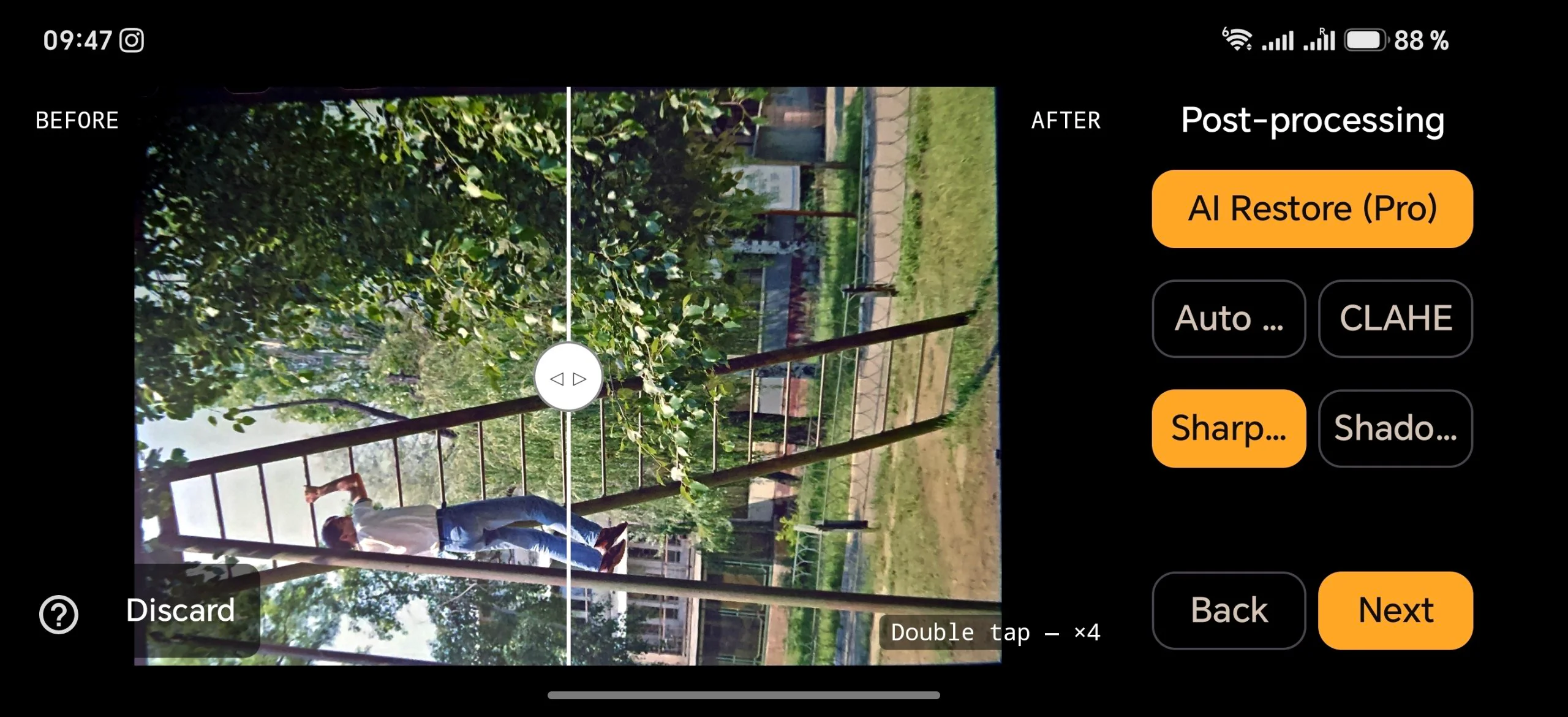
Drag the slider to compare the raw negative with the processed result
Everything you need for professional film digitization — in your pocket
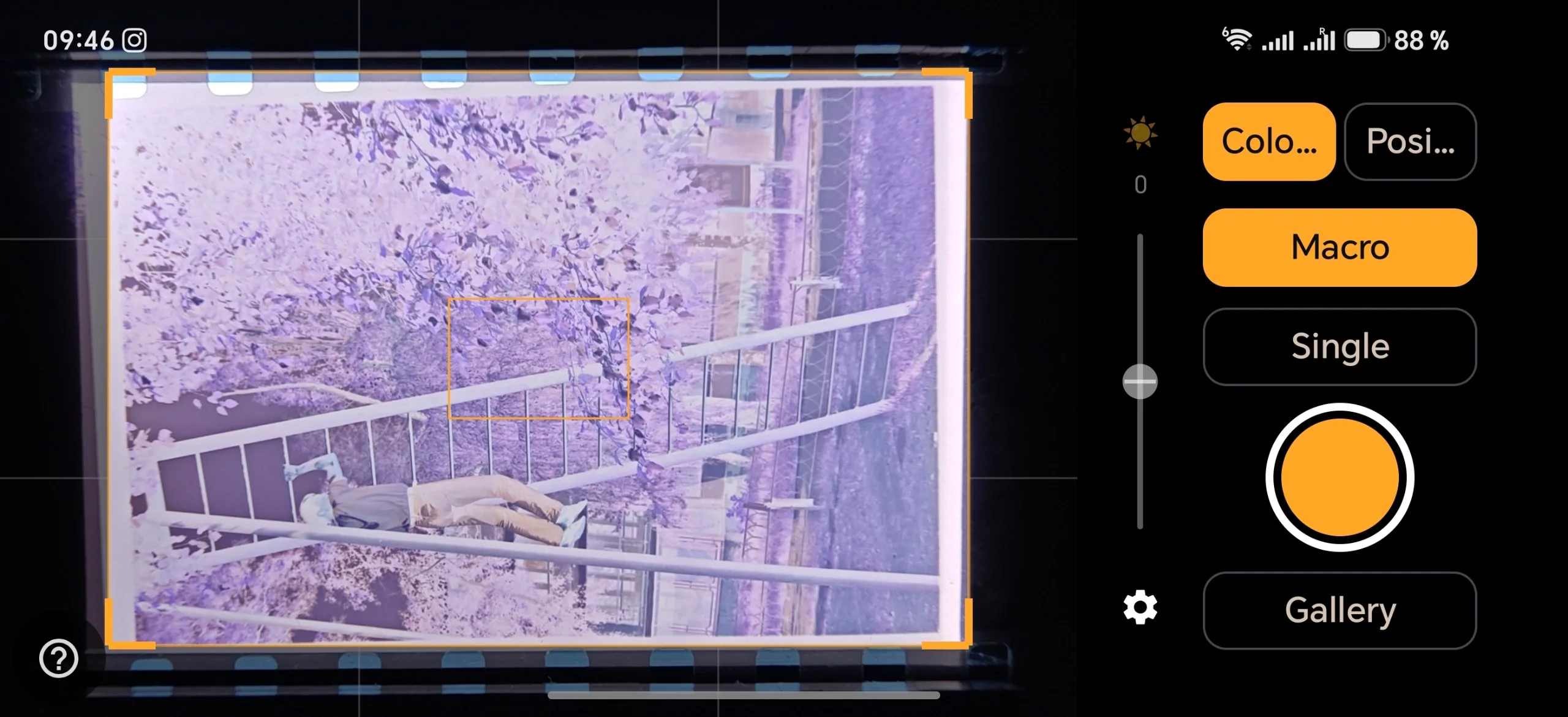
Native camera control (AVFoundation on iOS, CameraX on Android) with AE/AF lock, exposure compensation and multi-frame capture. Switch between your phone's physical lenses (main, ultra-wide, telephoto/macro) to get the sharpest possible frame of the film.
Colour C-41, black & white and E-6 slides. The app detects the negative type and applies the matching inversion profile — or scan a positive photo/slide and keep it positive with one tap.
High-precision processing in the Lab colour space (CoreImage & vImage on iOS, OpenCV on Android). RGB histogram, tone curves, white balance and CLAHE — all computed locally on your device, no internet needed.
For badly damaged frames the image is sent over a secure channel to the Replicate service running Microsoft's "Bringing Old Photos Back to Life" model — repairing scratches, fading and noise while keeping the original texture.
Manually adjust brightness, contrast, colour and shadows, or apply ready-made presets. Export to JPEG/PNG at full sensor resolution with EXIF metadata — ready to print and share.
Five steps from a negative — or any shot — to a finished photograph
Place a negative, slide or a printed photo on a monitor or light table — or simply photograph anything. Pick the best lens and press the shutter. A positive shot will appear inverted on the next screen — that's fine, you'll fix it in step 3.

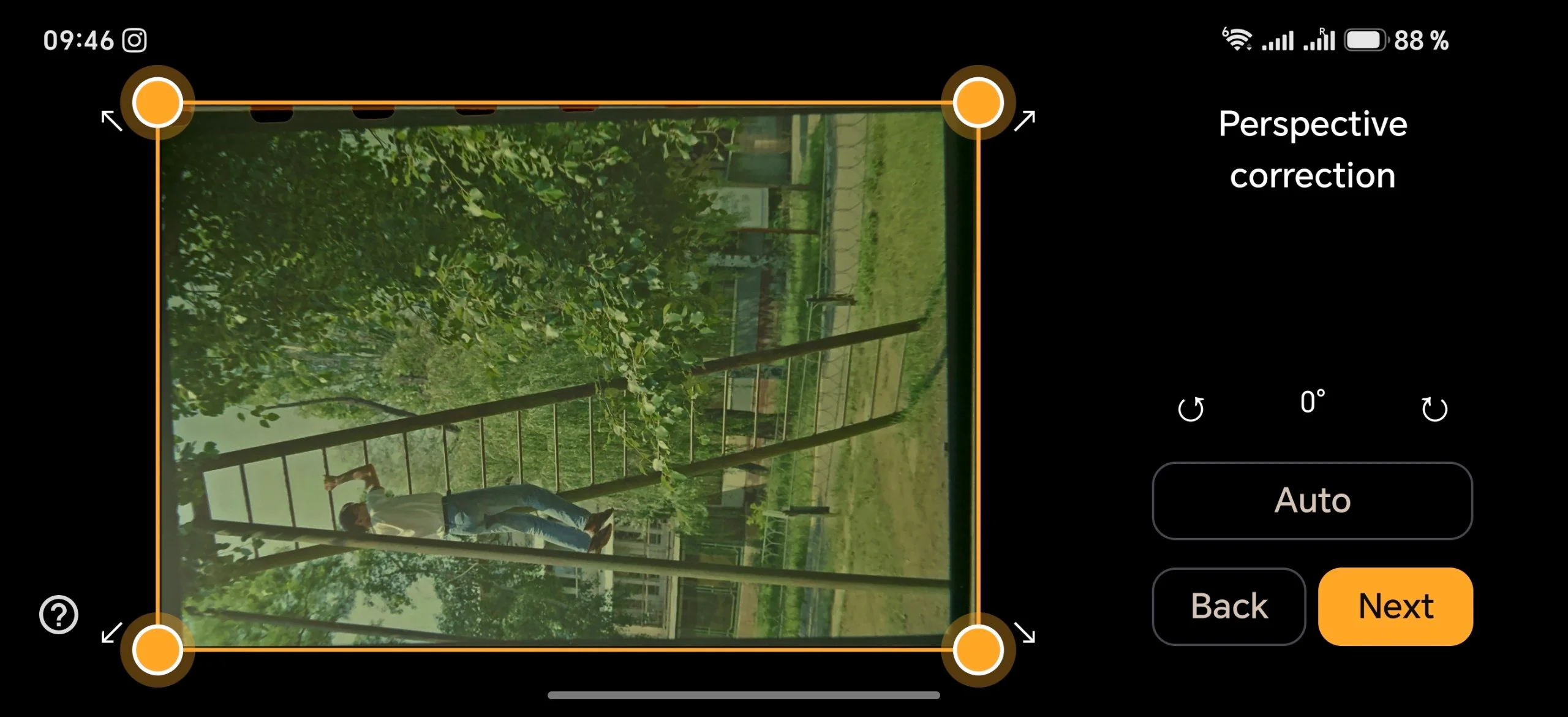
The app automatically finds the frame edges. Fine-tune the perspective by hand or tap "Auto".

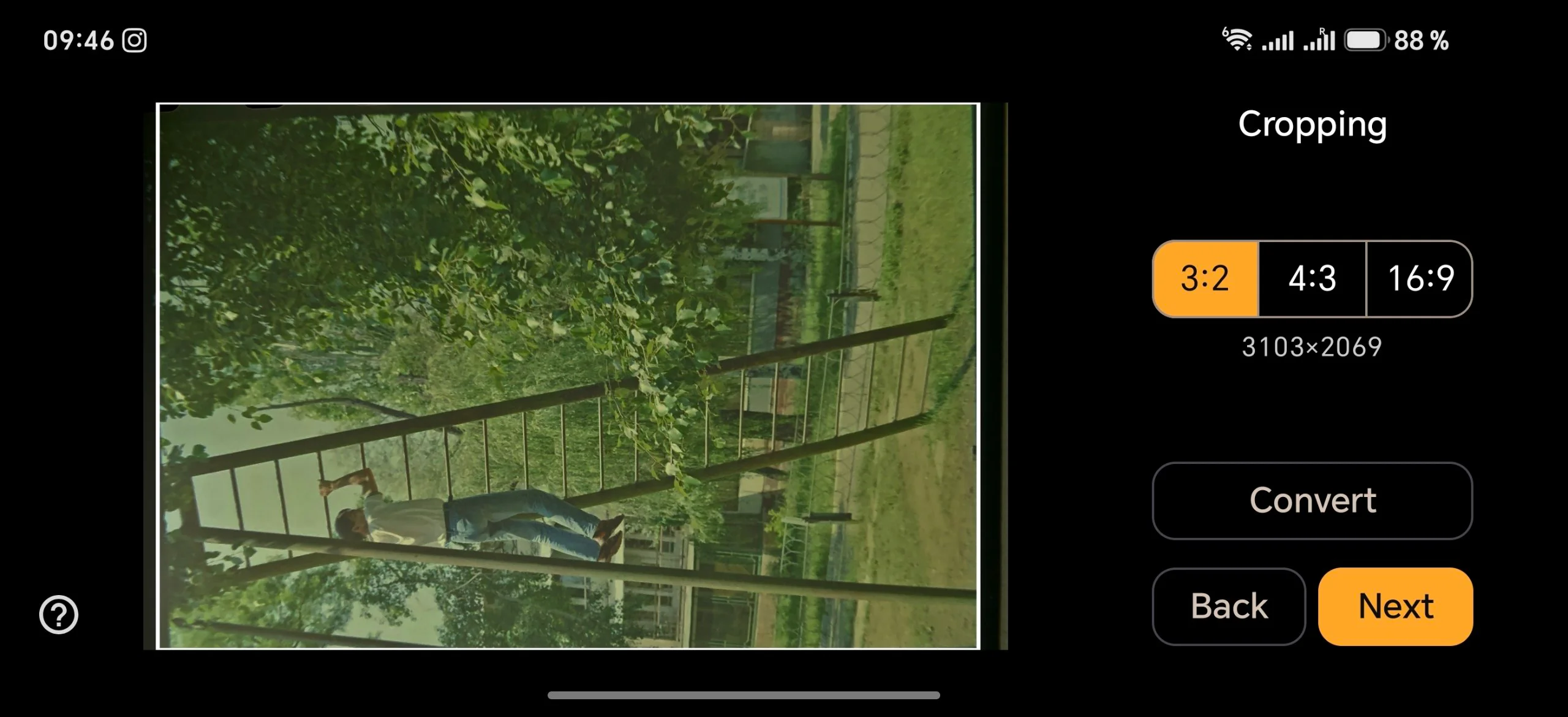
Choose the aspect ratio (3:2, 4:3, 16:9) and crop precisely. If you shot a positive — a slide or a printed photo — tap "Convert" to turn it back into a positive instead of a negative.

AI Restore, CLAHE, sharpening and shadow recovery. Compare before/after with a live slider and pick what looks best.

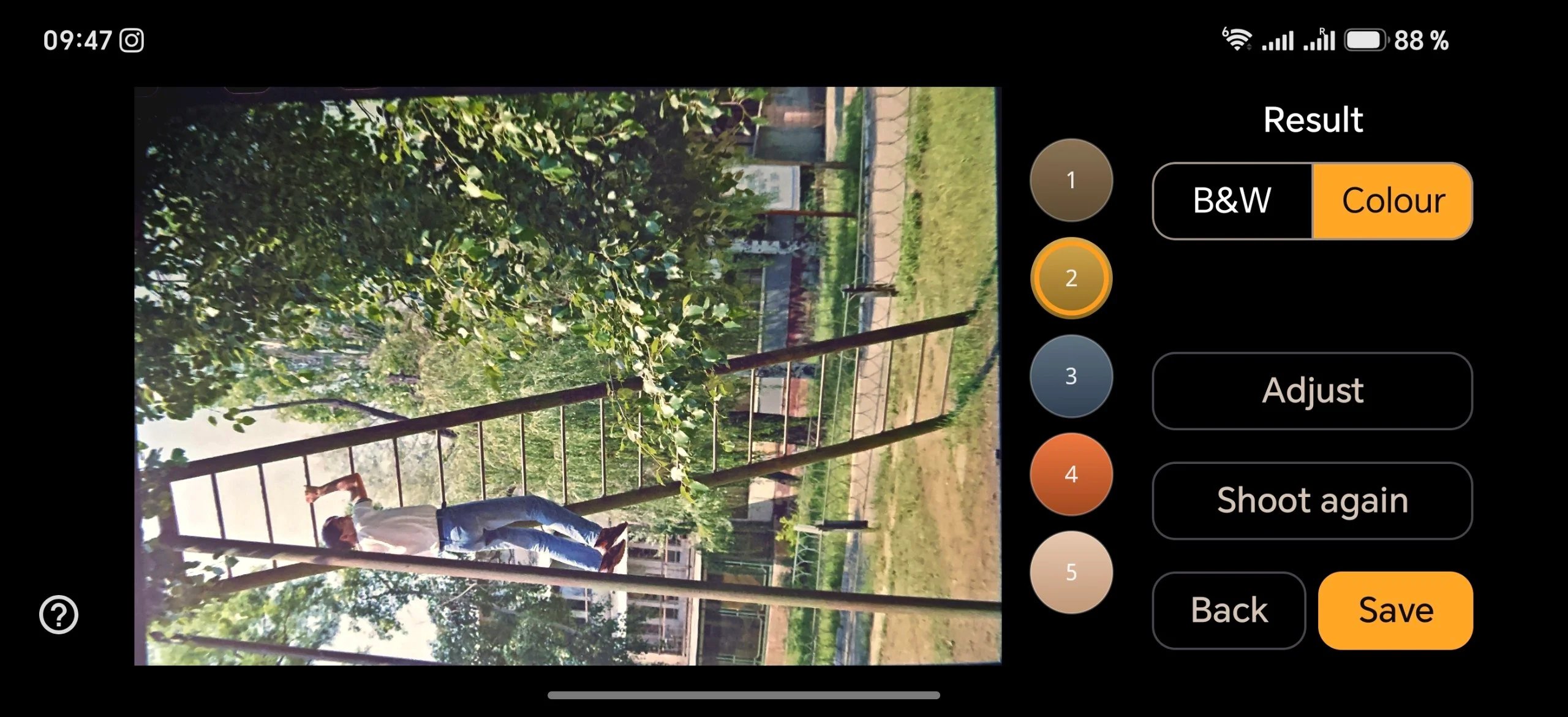
Choose from up to 5 generated variants, switch between B&W and Colour, then fine-tune brightness, contrast, colour and shadows manually — or apply a preset. Save in full quality.

Start for free. Upgrade to PRO when you need more.
Free forever
The full toolkit for enthusiasts
PRO plan auto-renews monthly. Cancel anytime in the App Store (iOS) or Google Play (Android). €11.99 is the price for Ireland (VAT included). Prices in your country are set by the App Store or Google Play and may vary slightly.
Didn't find an answer? Write to us: drv.developer@gmail.com
No! All you need is a smartphone and any source of even white light — a monitor, a tablet or a light table. The app finds the frame edges and corrects the perspective for you.
Yes. You can photograph a printed photo, a slide or literally anything. A positive shot will appear inverted on the next screen — on the crop screen just tap "Convert" and it becomes a normal positive again.
The image is sent over an encrypted TLS channel to our proxy server (Hetzner, Germany), which forwards it to the Replicate service running Microsoft's "Bringing Old Photos Back to Life" model. Our server does not permanently store your images — an image is held only transiently while the request is processed. Replicate may process images outside the EU, and its handling of transmitted images is governed by Replicate's Privacy Policy. We do not sell your photos.
On iPhone or iPad: open Settings → [your name] → Subscriptions → Film Negative Scanner → Cancel Subscription. On Android: open Google Play → Subscriptions → Film Negative Scanner → Cancel subscription. Your PRO access remains active until the end of the current paid billing period. Refunds are handled directly by Apple (reportaproblem.apple.com) or under the Google Play refund policy.
For basic processing (inversion, cropping, perspective and manual colour correction) — no, everything runs 100% locally on your device. Internet is only needed for the optional AI Restore feature (PRO) and subscription verification.
Send an email to drv.developer@gmail.com with the subject "Data Deletion Request" and include your Apple App Store or Google Play subscription details (or receipt/order ID). We will delete all associated server records within 30 days.
Your PRO subscription is tied to your Apple ID (on iOS) or Google account (on Android), not to a physical device. After reinstalling or switching devices, sign in with the same account (or tap "Restore purchases" on the PRO screen) and your subscription will be restored automatically. The monthly AI Restore quota (200 requests per calendar month) is tracked per subscription and shared across your devices on the same store account.